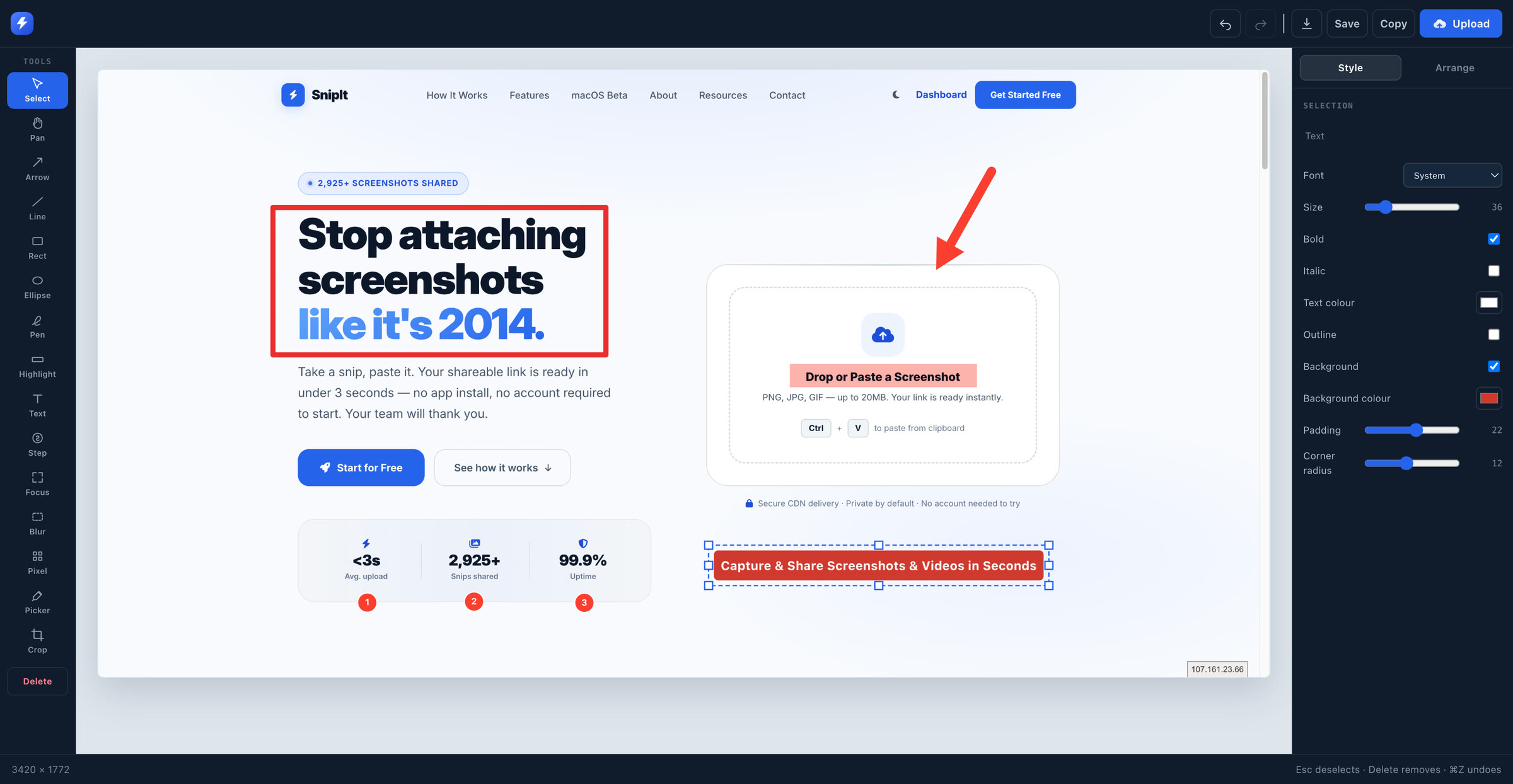
Annotate before anyone sees it
Every annotation stays editable - select it, move it, resize it with handles, restyle it. Nothing is painted into the image until you export, so undo always works and the result stays full resolution.
Full pages, regions and tabs. Record your screen, annotate, trim, and share a link - all from the toolbar.
Works in Chrome and other Chromium browsers. Nothing is uploaded until you choose to share it.
Full page, the visible area, or drag to select a region - from the toolbar, the right-click menu, or a keyboard shortcut.
Arrows, shapes, text, highlight, blur, pixelate and numbered steps. Move and resize anything after you draw it.
Record a tab with its audio, or a screen or window, with your microphone and camera. Trim it before you share.
Upload and copy the link, download the file, or keep it on your device. Your call, every time.
Every annotation stays editable - select it, move it, resize it with handles, restyle it. Nothing is painted into the image until you export, so undo always works and the result stays full resolution.
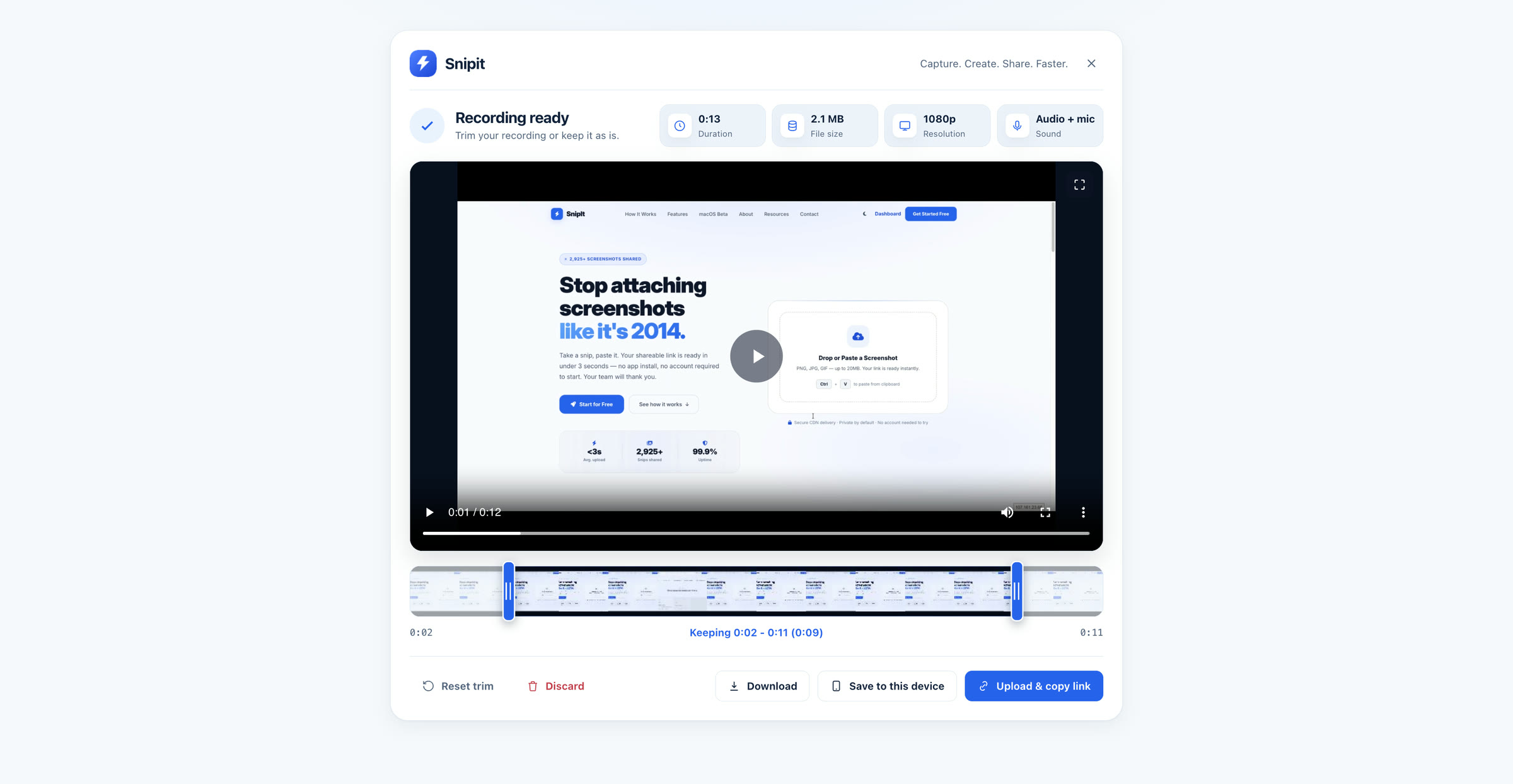
Scrub the filmstrip, drag the handles, and cut the dead air off either end. Then upload, download, or keep it on this device.
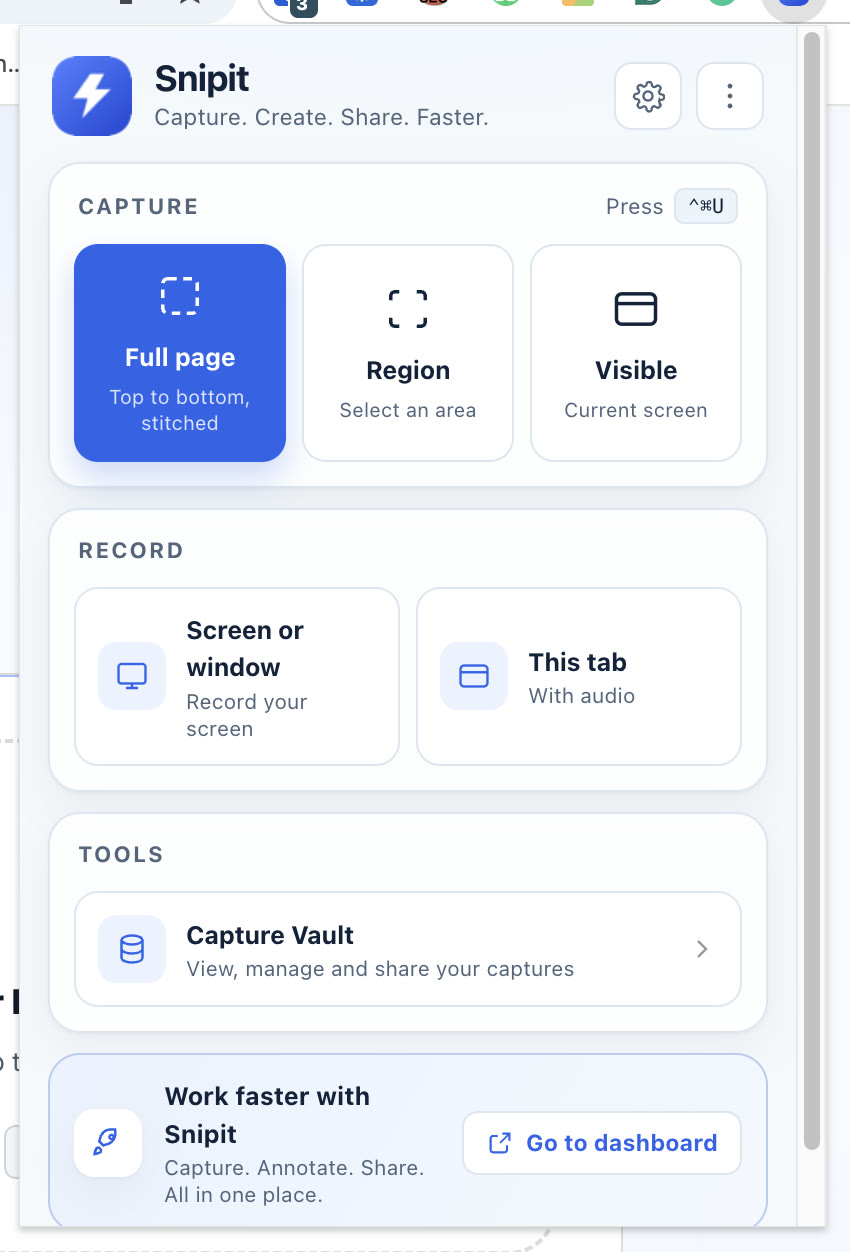
Capture and recording in one place, with the keyboard shortcut shown right where you need it.
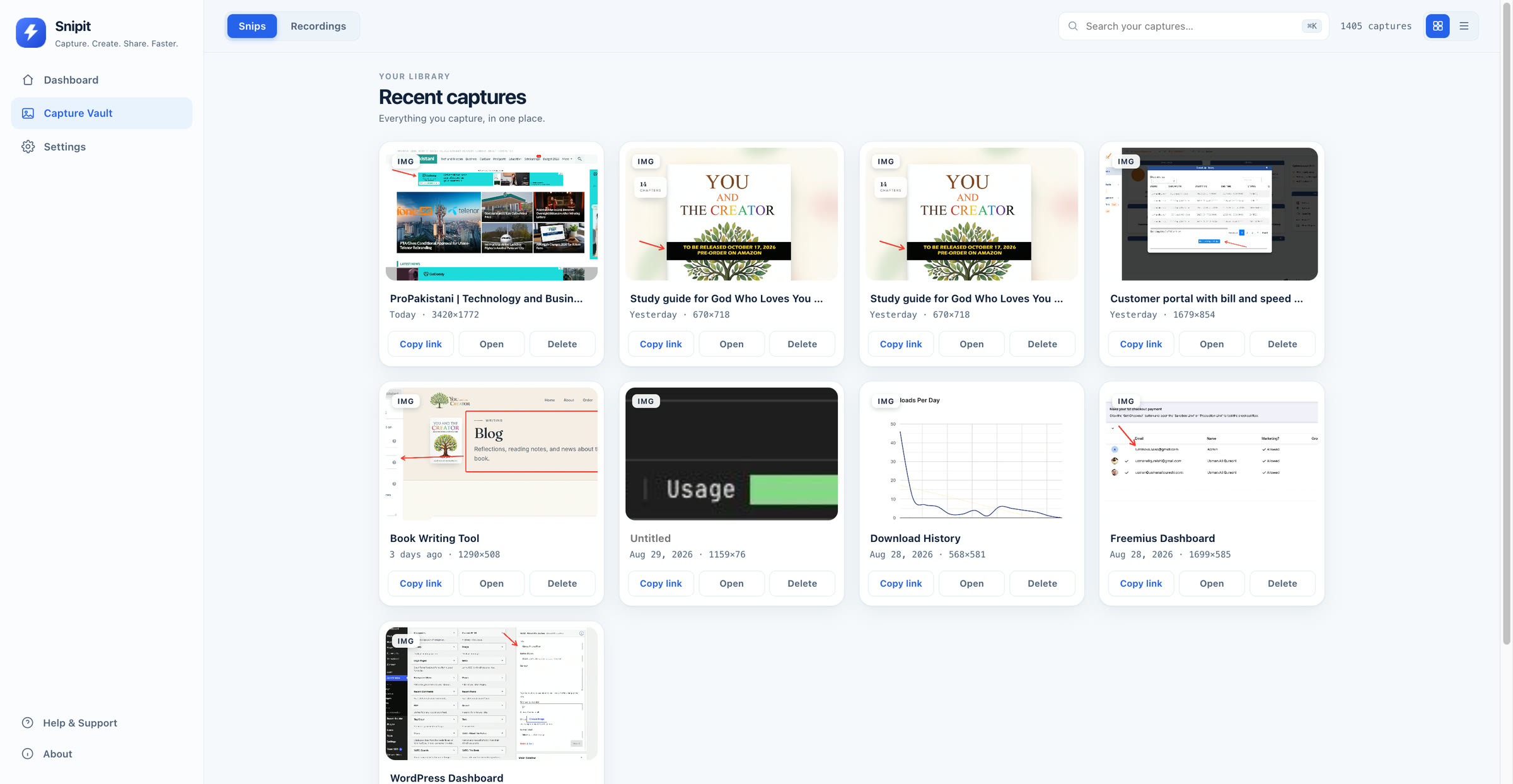
The Capture Vault holds your screenshots and recordings together - search them, rename them, copy a link, change what is public, or delete them.
The extension ships no API key or shared secret - uploads travel over your own signed-in browser session. Captures stay on your device until you choose to share them. Chrome does not allow extensions to capture its own internal pages, record other applications silently, or register system-wide shortcuts, and SnipIt does not claim otherwise. See the privacy policy for exactly what is handled.
Full-page captures scroll and stitch, including pages that load as you go.
Record a tab with its audio, or any screen or window, with mic and camera.
Upload and the shareable link is on your clipboard before you switch windows.
SnipIt for macOS captures anything on your Mac, not just what is in the browser.